
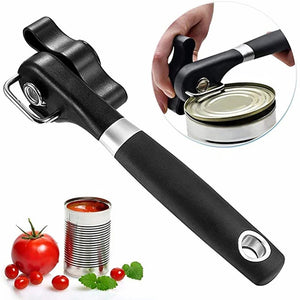
Manual Can Opener, Side-Cutting Can Opener with Non-Slip Ergonomic Handle, Kitchen Can Opening Tool for Canned Food, Home & Daily Use

PRODUCT OVERVIEW

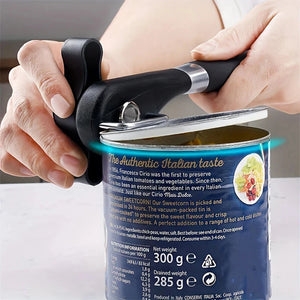
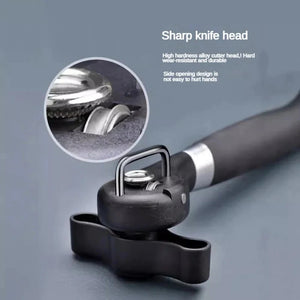
Open cans quickly and comfortably with thisManual Side-Cutting Can Opener. Featuring a smooth side-cutting mechanism, the opener is designed to cut along the side of the can while keeping the blade away from the food. Its ergonomic handle and easy-turn knob provide comfortable control, while the compact design makes it convenient to store in your kitchen drawer or cabinet.

KEY FEATURES

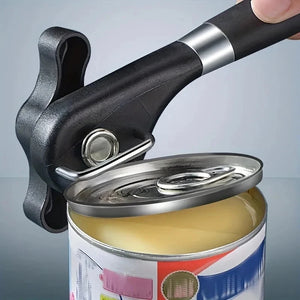
  • SMOOTH SIDE-CUTTING DESIGN – Cuts along the side of the can to help create a smooth, burr-free edge.
  • FOOD-GRADE MATERIALS – Made with stainless steel and PP plastic for durability and everyday kitchen use.
  • ERGONOMIC EASY-TURN KNOB – Large turning knob and comfortable grip make manual can opening simple and convenient.
  • BLADE STAYS AWAY FROM FOOD – Side-cutting design helps keep the cutting mechanism from directly contacting the food.
  • LID STAYS OUT OF THE CAN – Designed so the removed lid can be lifted away without falling into the can contents.
  • EASY TO CLEAN – Simply rinse under running water after use for convenient cleanup.
  • COMPACT & PORTABLE – Lightweight design is easy to store and convenient to take along for camping or travel.
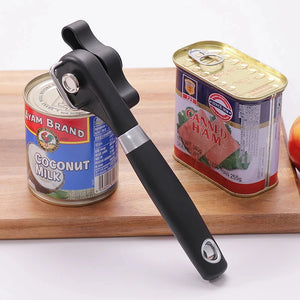
  • VERSATILE CAN OPENING – Suitable for various compatible round and oval cans.

HOW TO USE

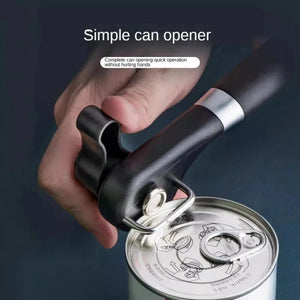
  1. Place the can opener securely on the edge of the can.
  2. Turn the knob forward to cut around the can.
  3. Continue turning until the cut is complete.
  4. Turn the knob backward to lift the lid.
  5. Remove the lid carefully after opening.

SPECIFICATIONS

  • Product Type: Manual Can Opener
  • Material: Stainless Steel + PP Plastic
  • Color: Black
  • Cutting Type: Side-Cutting
  • Operation: Manual
  • Suitable For: Round & Oval Cans

PACKAGE INCLUDES

  • 1 × Manual Can Opener

NOTES

  • Please allow a 1–3 cm size variation due to manual measurement.
  • Actual color may vary slightly due to lighting conditions and differences in display settings.